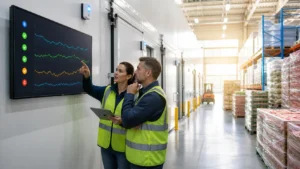
Hospital teams do not need one more clipboard to chase. Temperature monitoring for hospitals should protect patients and products, not swallow up nursing and pharmacy time. In this guide, we walk through how to move from manual rounds and stand-alone data loggers to a real-time, cloud-connected system that actually fits how your hospital works.
We will look at the risks of the old way, show how to build a simple business case, outline what a future-ready system looks like, then walk step by step through migration, validation, alarm workflows, and audit-ready documentation. The goal is simple: safer product, fewer surprises, and less time stuck doing paperwork.
Stop Chasing Clipboards and Start Protecting Patients
In many hospitals, temperature checks still look like this: nurses and pharmacy staff walk the halls with a clipboard, squint at tiny displays on fridges, write numbers on paper, then hope everyone remembers every round. Add in data loggers that need to be pulled, plugged into a PC, and downloaded, and it is easy to miss something important.
When an excursion is found late, the damage is already done. Vaccines, blood, medications, lab samples, and even food may be at risk. Staff then scramble to decide what to discard, what to keep, and how to explain it to surveyors.
Real-time, automated monitoring changes that pattern. Wireless sensors feed into cloud software, alarms fire as soon as a problem starts, and teams can act while there is still time to save product. In this article, we walk through a practical migration plan from clipboards and data loggers to validated, real-time monitoring with clear alarm workflows and solid audit documentation.
Why Manual Rounds and Data Loggers No Longer Cut It
Manual rounds and USB data loggers feel familiar, but they create gaps. Common problems include:
- Missed rounds during busy shifts or staffing shortages
- Illegible or half-filled paper logs
- Delayed downloads from data loggers tucked in drawers
- Transcription errors when numbers are retyped into spreadsheets
At the same time, oversight keeps getting tighter. Surveyors ask more detailed questions about cold chain handling, especially for advanced therapies, vaccines, and blood products. Many health systems also rely on remote clinics and off-site locations, which are harder to monitor with paper.
When you only see data hours or days later during a download, you are stuck in reaction mode. By the time an out-of-range trend shows up, that expensive product may already be questionable, and staff may be stuck answering hard questions about what happened and why no one acted sooner.
Building the Business Case for Real-Time Monitoring
To move forward, leaders need more than frustration; they need a clear business case. The hidden costs of manual and logger-based processes often include:
- Staff time spent walking, logging, and re-entering data
- Product loss after slow or missed excursions
- Time wasted chasing false alarms or unclear readings
- Emergency repairs when failing equipment is not caught early
Automated temperature monitoring for hospitals helps in a few clear ways. Real-time alerts shorten response time. Trend data can hint at a weakening compressor or door seal so teams can plan maintenance. Standard reports replace custom spreadsheets. Audit prep turns from a fire drill into a quick printout.
A strong plan pulls in the right stakeholders from the start. Typical champions include pharmacy, lab, blood bank, dietary, nursing, facilities or biomed, infection prevention, and compliance. Each group cares about slightly different things: product integrity, workload, survey readiness, equipment uptime, or patient safety. When they all see their needs covered, support comes much faster.
Designing a Future-Ready Monitoring Architecture
Next, map what you actually need to monitor. Walk the campus and list:
- Refrigerators and freezers in all departments
- Warmers, OR suites, and clean rooms
- Central and satellite pharmacies
- Labs and blood banks
- Vaccine storage and dietary areas
- Seasonal surge units or mobile clinics used during storms and heat waves
A modern system usually includes calibrated wireless sensors, gateways or access points to collect sensor data, secure cloud software, and dashboards or mobile apps with role-based access. For systems with multiple sites, it also means being able to see all locations in one place, not juggling separate tools.
IT needs to be at the table early. Topics to cover include network and cybersecurity review, single sign-on and user setup, and data export options such as HL7 or APIs for feeding quality systems. It also helps to align naming conventions and location hierarchies across the health system so reports match how your teams already talk about spaces.
Step-by-Step Migration From Data Loggers to Real-Time
A smart path starts small. Pick a focused pilot area with high impact, often pharmacy or blood bank. Together, define success:
- Faster alarm response time
- Reduced product loss or discard events
- Staff hours saved from fewer manual rounds
Install sensors and gateways, configure devices and locations, and set temperature ranges and alarm thresholds. For a period of time, run the new system side by side with existing rounds and data loggers. Compare readings to a trusted reference thermometer to confirm accuracy.
As confidence builds, you can phase out old practices. That might mean cutting back paper rounds to daily spot checks, then removing them fully once alarm rules, reports, and procedures are updated. Stand-alone loggers can be retired as each area completes its validation and policy update cycle.
Validating the System and Staying Compliant
Hospitals need a clear, risk-based validation approach that fits clinical spaces, not just pharma plants. A simple structure often includes user requirements, vendor documentation review, installation qualification, operational qualification, and performance qualification.
Key tests usually cover:
- Sensor accuracy and calibration processes
- Data transmission and how gaps are handled if the network is down
- Alarm delivery through text, email, and on-screen alerts
- Data integrity, including timestamps, audit trails, and user access controls
Keep all validation plans, test scripts, deviation notes, and final reports in one central place. When digital systems include electronic records, it helps to align with FDA 21 CFR Part 11 principles where they apply and what accreditation bodies expect. Having this ready makes survey days far less stressful.
Designing Effective Alarm and Escalation Workflows
Great hardware still fails if alarm workflows are not clear. Start with smart thresholds and delays. Different units have different door patterns and ambient heat, especially during hot summers, so do not treat a vaccine fridge the same as a busy dietary cooler.
Map out who gets what alert and when:
- First responder for each unit or device
- Time allowed before escalation
- Next levels, such as supervisors, pharmacy or lab leaders, facilities, or on-call biomed
- How staff document actions and final disposition of product
Good alarm management is never set and forget. Review alarm history, adjust thresholds to cut noise, and use acknowledgment and comment fields so staff can log what they did. Many hospitals also run drills during seasonal surge planning to be sure everyone knows how to react when equipment fails.
Automating Documentation and Audit-Ready Reporting
Automated systems collect continuous, timestamped data and store it securely for years. No more gaps from missed rounds or handwriting that no one can read. If a question comes up about a specific night, you can pull the full record instead of digging through boxes.
Standard reports help daily operations and audits. Common examples are excursion summaries with notes on actions taken, calibration certificates, device inventories, and reports split by department, building, or facility. During inspections, teams can show historical monitoring, alarm response times, and validation records right away, instead of hunting through binders.
Turn Your Migration Plan Into Action This Quarter
To keep things manageable, many hospitals use a simple 90-day roadmap. Weeks 1 to 4 focus on assessment and the business case. Weeks 5 to 8 cover pilot deployment and validation. Weeks 9 to 12 expand rollout, update policies, and phase out the riskiest manual processes.
A small steering group makes a big difference. With pharmacy, lab, nursing, facilities, and compliance at the table, it is easier to review pilot data, fix alarm rules, and adjust workflows so the system works for everyone. At Qualified Controls, we focus on helping hospital teams design, implement, validate, and keep improving automated temperature monitoring so staff can spend less time chasing clipboards and more time on patient care.
Protect Patient Safety With Reliable Temperature Monitoring Today
When you are responsible for critical environments like pharmacies, labs, and vaccine storage, every temperature excursion matters. At Qualified Controls, we help you reduce risk and simplify compliance with robust, scalable temperature monitoring for hospitals. Our team can work with your existing infrastructure and processes to design a system that fits your facilities and staff. Reach out to our experts today so you can spend less time chasing alarms and more time focusing on patient care.